Streaming Video Curation with Ray Data
Streaming Video Curation with Ray Data
This example builds a multimodal video curation pipeline with Ray Data on Anyscale. It turns raw videos into clean, semantically-annotated clip datasets in a single streaming pipeline where CPU and GPU stages run concurrently with automatic backpressure.
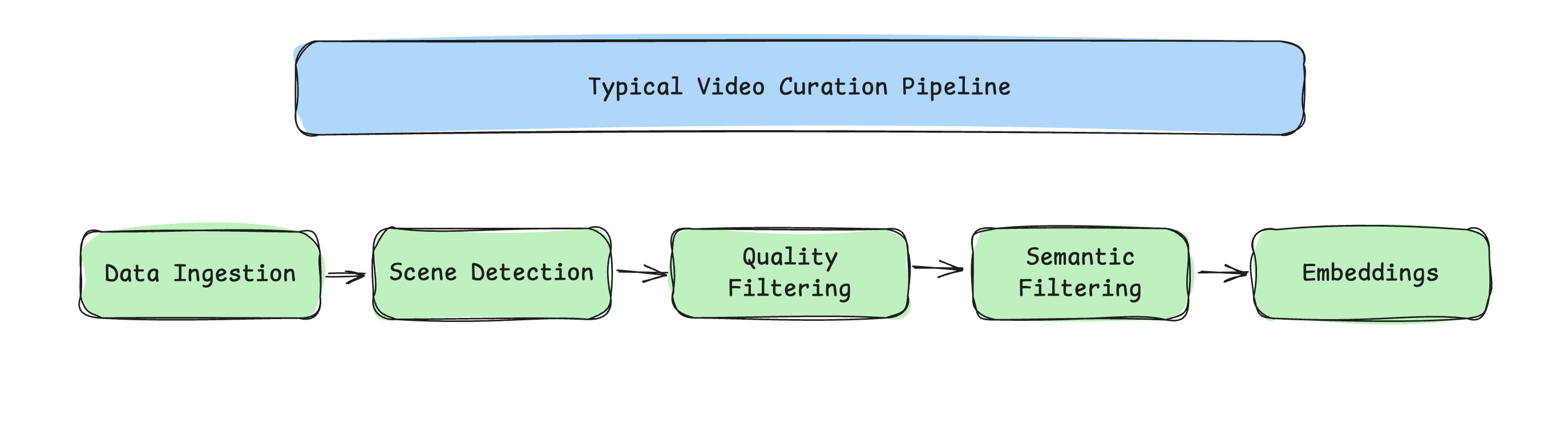
Pipeline
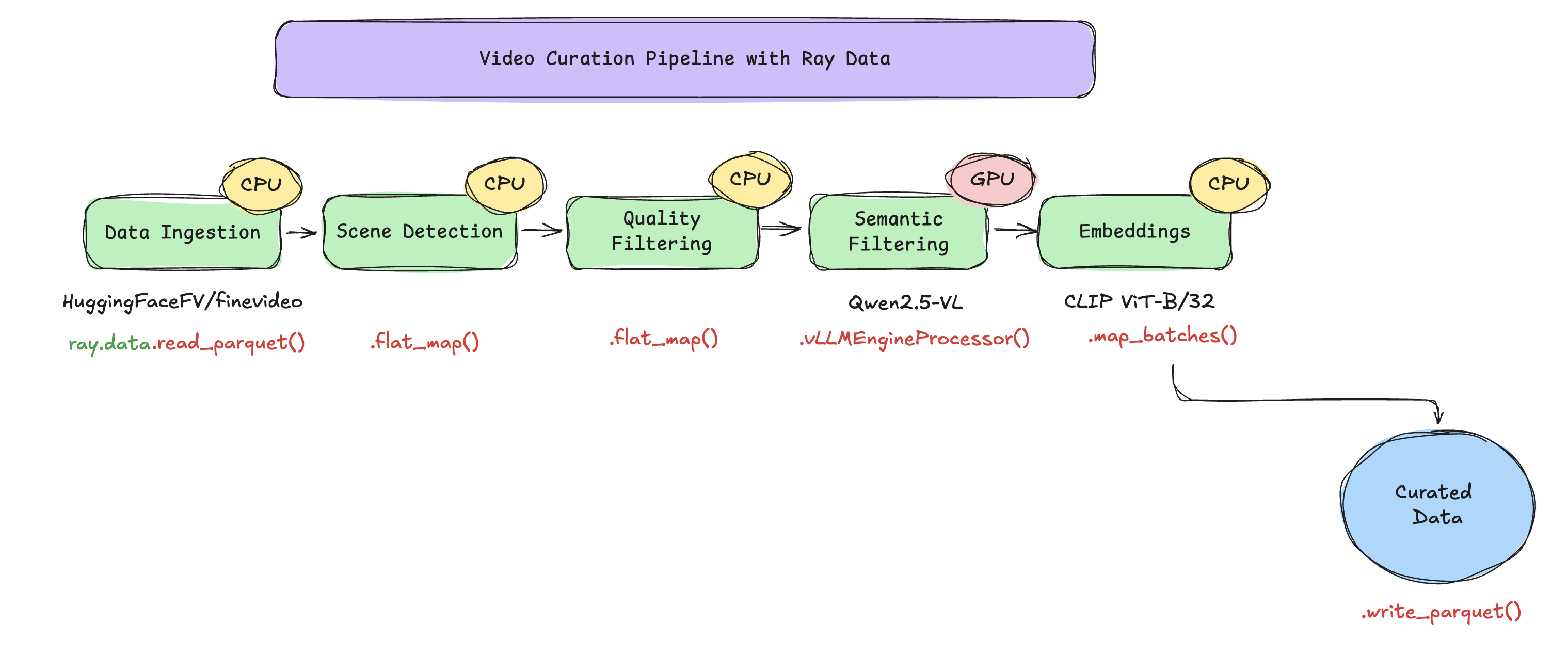
Videos are streamed directly from the HuggingFaceFV/finevideo dataset, eliminating the need for local prefetching. Each video is split on-the-fly into multiple clips, which are then streamed, processed, and written to Parquet format.
HF parquet (mp4 bytes)
    |
    +--flat_map(process_video_bytes)    # 1 video -> ~10 clips
    |     scene detect + quality filter + keyframe extraction (fused)
    |
    +--vLLMEngineProcessor              # 1:1, attaches category/is_safe/desc
    |     Qwen2.5-VL-3B, one replica per GPU
    |
    +--filter(is_safe)                  # drops unsafe rows
    |
    +--map_batches(CLIPEmbedder)        # 1:1, attaches 512-d embedding
    |     CLIP ViT-B/32 on CPU actor pool
    |
    +--write_parquet                    # /mnt/shared_storage/...
Each .py file has per-stage IO comments, see video_curation.py for the full data-flow narrative.
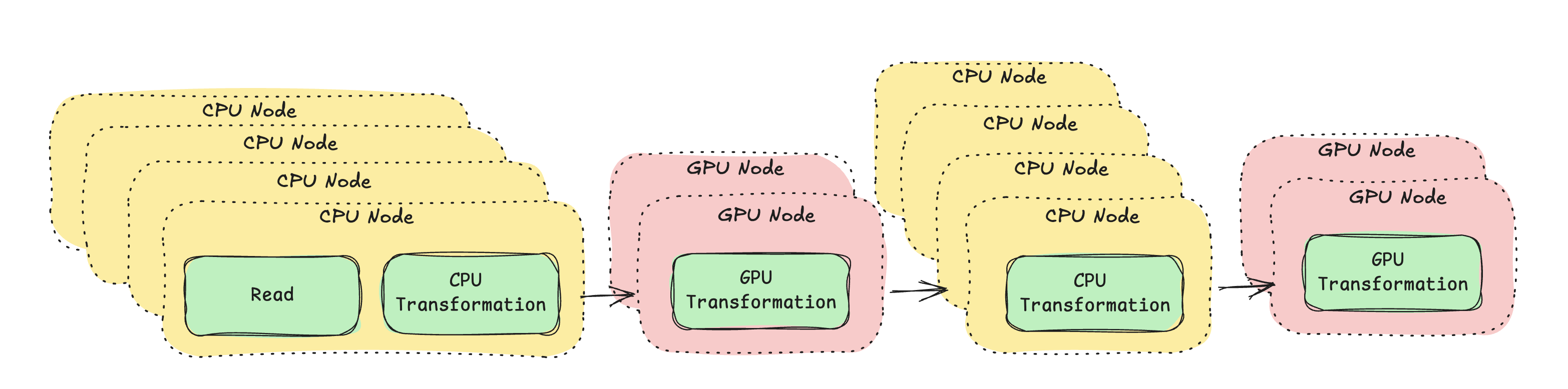
The key idea is streaming execution with heterogeneous resources. Traditional staged pipelines run one stage at a time, GPUs sit idle during CPU stages. This pipeline chains all five stages so CPU and GPU work run concurrently:
Ray Data executes each operation on the specified compute type, streams data block-by-block between operations, and applies backpressure automatically.
Install the Anyscale CLI
pip install -U anyscale
anyscale login
Clone the example
git clone https://github.com/anyscale/examples.git
cd examples/video_curation
Submit the job
FineVideo is a gated Hugging Face dataset, so you must set the HF_TOKEN environment variable.
Pass your Hugging Face token to the job using the --env flag to enable dataset access.
export HF_TOKEN=hf_...

# Run the job on 20 videos
anyscale job submit -f job.yaml --env HF_TOKEN=$HF_TOKEN --env NUM_VIDEOS=20
To run the job on the full dataset, simply omit the NUM_VIDEOS flag.
Understanding the example
- This example uses two models: Qwen2.5-VL-3B-Instruct for semantic understanding and CLIP ViT-B/32 for embedding computations. Both models are public and automatically downloaded from Hugging Face.
- This workload creates curated parquet files that are saved to
/mnt/shared_storage/finevideo/curated/streaming_<timestamp>/.